Roughly 10–15% of marketing emails never reach the inbox. They're filtered, flagged, or silently rejected before a customer ever sees them.
For an online store generating $50K per month from email, that's $5K–$7.5K in revenue vanishing every month.
Not because your subject lines are weak, but because your emails are landing in spam.
You can write the perfect abandoned cart email. You can design a gorgeous welcome series. None of it matters if your messages never reach the inbox.
And the rules have gotten stricter. Google, Yahoo, and Microsoft overhauled their sender requirements starting in 2024, with enforcement tightening through 2025 and into 2026. Ecommerce brands are squarely in the crosshairs.
Here's what I'll cover:
- The authentication protocols (SPF, DKIM, DMARC, BIMI) every online store needs, and the ecommerce-specific pitfalls most guides miss
- Why a 50K subscriber list with 30% inactive contacts is worse for deliverability than a 20K engaged list
- A step-by-step diagnostic and recovery plan for when your emails are already landing in spam
This guide is written specifically for online stores, DTC brands, and ecommerce marketers. Every strategy ties back to the flows that drive revenue: abandoned carts, welcome sequences, promotional campaigns, and post-purchase emails.
What You'll Learn
- Understanding Ecommerce Email Deliverability
- Build Your Technical Foundation
- List Health and Sending Strategy
- Troubleshooting and Ongoing Protection
Understanding Ecommerce Email Deliverability
Before you fix anything, you need to understand what ecommerce email deliverability actually means, and why the rules changed.
1. Know the Difference Between Email Delivery and Email Deliverability
These two terms sound interchangeable. They're not.
Email delivery means the recipient's mail server accepted your email. It didn't bounce. Most ESPs report delivery rates between 95–99%, and most marketers see that number and assume everything is working.
Email deliverability means the email actually landed in the primary inbox—not spam, not promotions. This is what determines revenue.
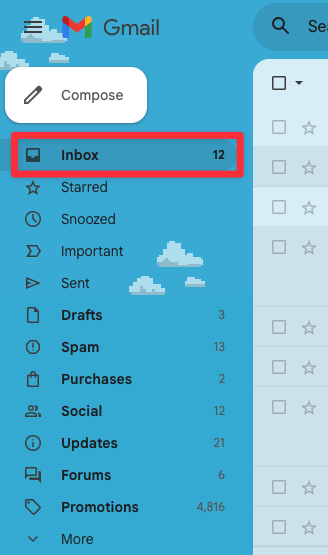
According to EmailToolTester's 2024 report, average inbox placement hovers around 83–85%. That means 15% or more of "successfully delivered" emails are sitting in spam.
| The formula: Deliverability rate = emails in inbox ÷ total emails sent × 100 |
What determines inbox placement?
Three things:
-
Authentication (proving you're legitimate),
-
Reputation (your track record), and
-
Engagement (how recipients interact with your emails).
Every strategy in this guide maps back to these pillars.
2. Get Compliant with the 2024–2025 Sender Requirements
In February 2024, Google and Yahoo rolled out sweeping sender requirements. Microsoft followed in 2025. Non-compliant emails now face temporary errors, partial rejections, and outright blocks.
Here's what's required:
Email authentication is mandatory. All senders need SPF and DKIM. Bulk senders (5,000+ emails/day) also need DMARC.
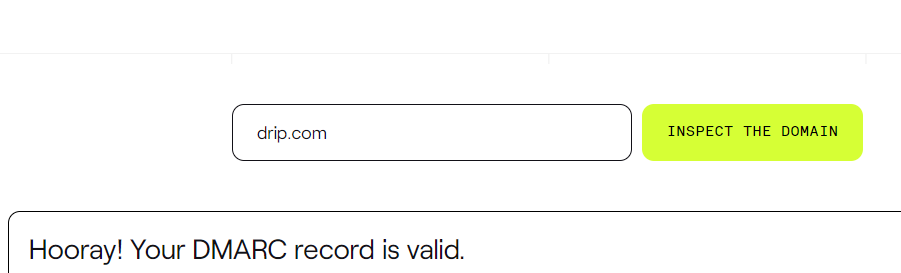
One-click unsubscribe is required. Every promotional email needs a List-Unsubscribe header. Opt-outs must process within two days.
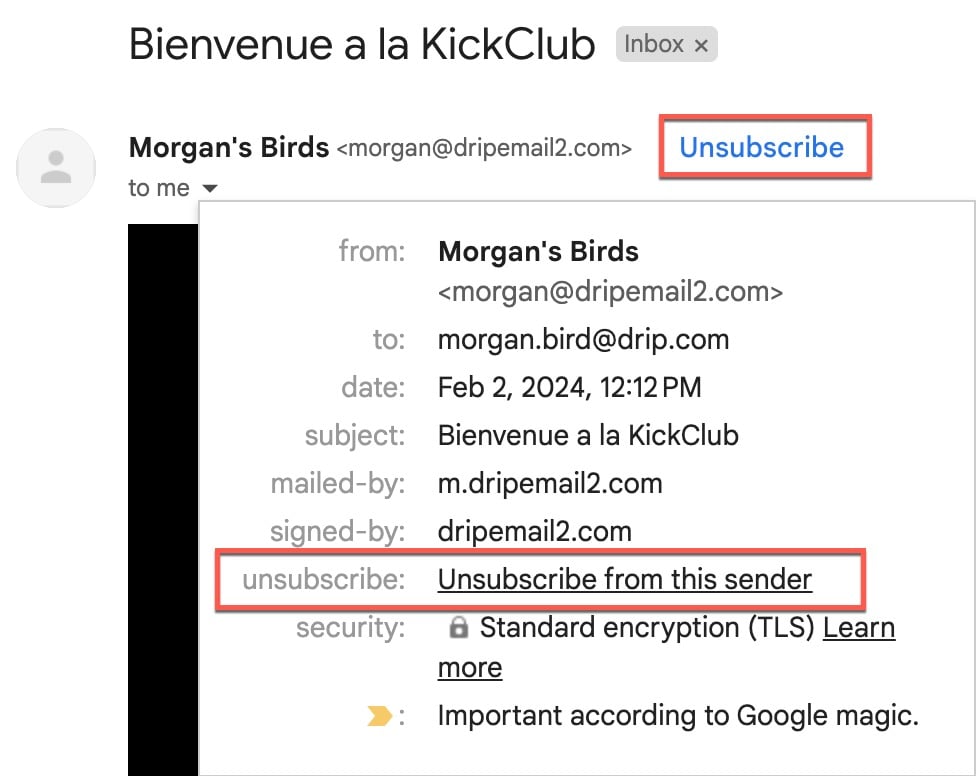
Spam complaint rate must stay below 0.3%. Google's recommended target is actually 0.1%. Think of 0.3% as the emergency ceiling.
Valid DNS records and TLS encryption. Proper PTR records and encrypted transmission are baseline expectations.
Why are ecommerce brands especially exposed?
A store with 15K subscribers running a welcome series, abandoned cart flow, post-purchase sequence, and weekly sends easily exceeds 5,000 emails per day.
You're a bulk sender whether you realize it or not. For a detailed breakdown, see our guide on Google and Yahoo's new sender requirements.
Build Your Technical Foundation
Authentication and sender reputation are the bedrock of ecommerce email deliverability.
3. Authenticate Your Domain (SPF, DKIM, DMARC, BIMI)
Email authentication proves to inbox providers that you are who you say you are.
SPF (Sender Policy Framework) is a guest list for your domain—it tells receiving servers which IPs can send on your behalf.
Ecommerce pitfall: you add your ESP but forget your helpdesk, review platform, and invoicing tool. Every service that sends from your domain needs to be included.
DKIM (DomainKeys Identified Mail) is a digital signature proving authenticity. Most ESPs handle signing automatically. Your job is ensuring DNS records are published correctly.
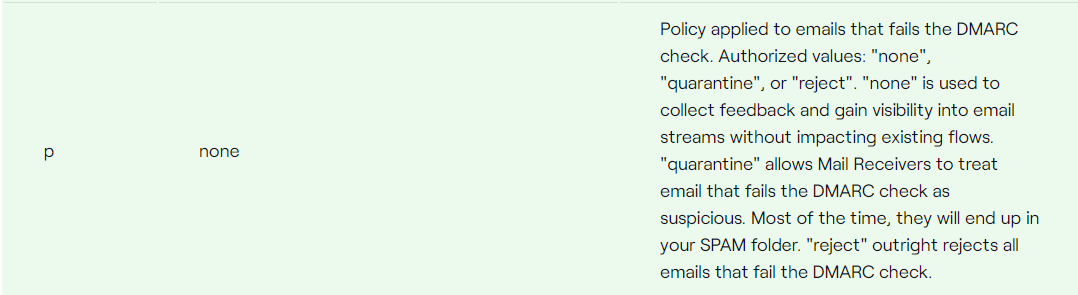
DMARC (Domain-based Message Authentication, Reporting & Conformance) ties SPF and DKIM together. Start with p=none to collect reports, then move to p=quarantine, then p=reject.
BIMI (Brand Indicators for Message Identification) displays your logo next to emails in Gmail, Yahoo, and Apple Mail. Requires DMARC at quarantine/reject plus a Verified Mark Certificate.
| Protocol | What It Does | Required? | Common Pitfall |
|---|---|---|---|
| SPF | Lists authorized sending IPs | Yes (all senders) | Missing helpdesk, reviews, invoicing services |
| DKIM | Digitally signs emails | Yes (all senders) | DNS records not published after ESP migration |
| DMARC | Handles unauthenticated emails + reporting | Yes (bulk senders) | Jumping to p=reject before auditing all sources |
| BIMI | Displays brand logo in inbox | Optional | Not realizing it requires DMARC first |
4. Monitor and Protect Your Sender Reputation
Your sender reputation is your email credit score. Inbox providers use it to decide inbox vs. spam placement.
IP reputation is tied to your sending IP. Shared IPs mean other senders affect you. Dedicated IPs give control but require consistent volume.
Domain reputation follows you—switching ESPs doesn't reset it.
What hurts reputation most:
- High spam complaint rates
- Hard bounces
- Spam traps
- Low engagement from bloated lists
- Sudden volume spikes
What builds reputation: Consistent volume, high engagement, low complaints/bounces, proper authentication, gradual volume increases.
Monitoring tools: Google Postmaster Tools (essential, free), Microsoft SNDS, and your ESP's built-in metrics. Check weekly minimum; daily during peaks or after changes.
List Health and Sending Strategy
Technical authentication gets your foot in the door. List health determines whether you stay.
5. Clean Your List Like Revenue Depends on It (Because It Does)
A 50K list with 30% inactive subscribers is worse for deliverability than a 20K engaged list.
Every unengaged contact drags down engagement rates, and inbox providers notice.
Key practices:
- Consider double opt-in. Slower growth, but every subscriber is real and expects your emails. Learn more about single opt-in vs double opt-in.
- Remove hard bounces immediately. Most ESPs handle this automatically—verify yours does.
- Implement a sunset policy. Suppress subscribers with no opens/clicks in 90–120 days. This is the most impactful hygiene practice.
- Run re-engagement before sunsetting. A final "still want to hear from us?" sequence. No response? Suppress them.
- Validate periodically. Services like NeverBounce catch typos, role addresses, and dead mailboxes.
With Drip's dynamic segmentation, you can build a segment for subscribers with no engagement in 90 days. People automatically enter and exit as their data changes.
Ecommerce warning: Giveaway lists are deliverability landmines. Segment those contacts separately and warm them with a dedicated nurture sequence before regular sends.
6. Segment Every Send
Sending the same email to your entire list tanks deliverability. Irrelevant emails drive spam complaints, low engagement, and unsubscribes.
Segments that matter for ecommerce:
- Engagement recency: Clicked in 30 days, opened in 60 days, inactive 90+ days
- Purchase recency: Bought in last 30, 60, or 90 days
- Lifecycle stage: Prospect, first-time buyer, repeat customer, VIP
- Product category interest: Based on browse behavior or purchase history
Drip's segmentation engine combines behavioral, transactional, and demographic data.
Segments are dynamic—people enter and exit automatically. For inspiration on how to structure your segments, explore these ecommerce email segmentation strategies.
Better targeting → higher engagement → stronger reputation → more inbox placement → more revenue. It compounds.
7. Warm Up Properly After Switching ESPs or Launching a New Domain
Migrating to a new ESP and blasting 40,000 subscribers on day one looks like spam to inbox providers. A new sending infrastructure with no established trust suddenly firing off tens of thousands of emails gets throttled, filtered, or rejected.
The warmup process:
- Start with your most engaged segment. Subscribers who clicked in the last 30 days.
- Increase volume gradually over 2–4 weeks. Double sending volume every 2–3 days.
- Monitor engagement at every step. If open rates drop or complaints spike, pause and investigate.
- Introduce broader segments only after engaged contacts establish positive patterns.
If you're migrating to Drip, our help center provides setup guidance, and the free migration service includes deliverability planning.
8. Prepare for Peak Seasons Weeks in Advance
BFCM destroys deliverability for unprepared brands. A store that normally sends 10K emails per week suddenly blasting 100K+ in a day looks like spam behavior.
How to prepare:
- Start ramping 4–6 weeks before peak season. Add extra sends weekly. Gradually expand segments.
- Plan your send calendar in October, not November. Map every email and know your projected volume.
- Clean your list before ramping. Suppress inactive subscribers first.
- Monitor Google Postmaster Tools throughout. Catch issues at 20K sends, not 100K.
Troubleshooting and Ongoing Protection
Even with everything set up correctly, deliverability issues can surface. Here's what to do when they do.
9. Diagnose and Recover When Emails Land in Spam
If open rates are falling or you've confirmed spam placement, act quickly. Deliverability problems compound.
Diagnostic sequence:
- Check authentication. Use MXToolbox or mail-tester.com to verify SPF, DKIM, and DMARC pass.
- Check sender reputation. Open Google Postmaster Tools. "Low" or "Bad" domain reputation is your primary problem.
- Check blocklists. Use MXToolbox's Blacklist Check. If listed, fix the underlying issue before requesting removal.
- Audit spam complaint rate. Above 0.1%? Identify which campaigns generated complaints.
- Review list health. If it's been 90+ days since cleaning, suppress inactive subscribers immediately.
- Test content. Send through mail-tester.com for a comprehensive score.
- Review sending patterns. Did anything change recently? Volume spikes, new domain, ESP migration?

For a deeper dive into common causes, read our guide on why emails go to spam.
Recovery steps:
- Immediately suppress unengaged subscribers. Only email people who've engaged in the last 30–60 days.
- Reduce sending volume. Temporarily cut back to rebuild reputation with engaged contacts.
- Fix any authentication issues. This is non-negotiable.
- Request blocklist removal once underlying issues are resolved.
- Gradually expand segments as reputation improves in Postmaster Tools.
Recovery takes 2–4 weeks minimum. There's no shortcut. Patience and disciplined sending are the only path back.
Protect Your Ecommerce Email Revenue
Ecommerce email deliverability isn't a one-time fix.
It's ongoing maintenance—authentication, list hygiene, segmentation, volume management, and monitoring.
The brands that consistently reach the inbox treat deliverability as infrastructure, not an afterthought. They authenticate properly. They clean ruthlessly. They segment every send. They warm up for peak seasons. They monitor their reputation weekly.
The payoff? Every email you send has a better chance of generating revenue instead of disappearing into spam.
Ready to put this into action?
Drip gives ecommerce brands the automation, segmentation, and deliverability infrastructure to reach more inboxes and drive more revenue per send. Start your 14-day free trial today—no credit card required.