













































































































Start of main content

Drip vs. Omnisend

Is Drip better than
Omnisend?


Omnisend is where a lot of ecommerce brands land after outgrowing a basic email tool—and it's easy to see why. It's built for retail, the Shopify App Store surfaces it early, and the multi-channel pitch is genuinely appealing. But sending emails across more channels isn't the same as sending smarter emails. And once your automation program gets serious, Omnisend's architecture starts showing its limits.

Drip is built to go deeper on the things that actually move revenue. Workflow goals that stop a sequence the instant a purchase fires. An LTV trigger that fires automations the moment a customer crosses a milestone. A data model built around how ecommerce customers actually behave—not just what channel they're on. No chasing sales that already happened. No manually configuring exit conditions. Just automation that responds to your customers in real time.

The short answer?
Drip is the better pick if you run an ecommerce store on Shopify, WooCommerce, or BigCommerce and want automation that responds to your customers—not a multi-channel platform you have to work around.

  • Free migration and workflow setup
  • Free 14-day trial (no credit card required)
  • Up to 100 days money-back guarantee

Which platform is
right for you?

Drip is for you if you:

  1. Run an ecommerce store on Shopify, WooCommerce, or BigCommerce.
  2.  Want automation that responds to purchases in real time — not sequences you have to configure exits for manually. 
  3.  Want every feature included from $39/month—no plan upgrades to unlock what you actually need. 
  4.  Want LTV-driven segmentation and zero-party data capture that feeds directly into your workflows. 

Omnisend is for you if you:

  • Need native multi-channel coverage—email, SMS, and push notifications in a single workflow. 
  •  Want transactional email built into the same tool as your marketing. 
  • Have a small list and want to start for free before committing to a paid plan.
  • Want 24/7 live chat support available.

Average customer stats that are anything but average.

99.8%

delivery rate.

51%

single email campaign open rate.

61%

workflow email open rate.

2%

single email campaign click-through rate.

5%

workflow email click-through rate.

68%

repeat purchase rate.

Drip vs. Omnisend
at a glance.

 Automation depth is where these two platforms diverge sharpest.
Here's how they stack up on the features that actually move product. 

Features drip Omnisend
Liquid templating—conditional content, personalization logic Yes Yes
Dynamic product blocks (live catalog data in email) Yes Yes
Advanced A/B testing Yes No
Pre-built email templates Yes Yes
Drag-and-drop email builder Yes Yes
Custom HTML email editor Yes Yes
Shopify integration—orders, cart, browse events Yes Yes
WooCommerce—custom attributes, advanced tagging, behavioral sync Yes Yes
BigCommerce integration Yes Yes
Workflow Goals—stop automation when purchase fires Yes No
LTV threshold as automation trigger Yes No
Multiple triggers per Workflow Yes No
Unified contact record Yes Yes
Billing for subscribed contacts only Yes No
Advanced zero-party data from onsite forms → segment trigger Yes No
Gamified opt-ins—spin-to-win Yes Yes
Mystery offers Yes No
All ecommerce features on every plan—no gating Yes No

Why choose Drip over Omnisend?

Pricing

Omnisend's pricing looks competitive at first glance. And in some ways it is—the free plan is a genuine entry point, and Standard starts below Drip's $39/month floor. But the total cost depends heavily on what you need and how Omnisend counts your contacts.

At 2,500 contacts, Drip is $39/month—every feature included, no upgrade walls. Omnisend's Standard plan runs roughly $45/month for the same list size.

Then there's the billing model. Drip bills on Active People: contacts who can actually receive your marketing. Omnisend bills for Subscribers (opted-in) and Non-Subscribers—which includes anyone who placed an order, abandoned a cart, or created an account without explicitly signing up for marketing email. A store with 1,800 transactional buyers and 700 email subscribers gets billed for 2,500 contacts on Omnisend, even though fewer than a third of them can receive a campaign. That gap compounds as your store grows.

Automation Intelligence

Both platforms have real automation. Omnisend's workflow builder is approachable, its pre-built templates are ecommerce-focused, and the A/B test block in automations is genuinely useful. For a store running its first abandoned cart series or welcome sequence, it's capable enough to get the job done.

But the architecture has limits that matter for stores with more sophisticated programs. Drip's workflow goals feature stops an automation the moment a desired outcome fires. A customer halfway through your five-email abandoned cart series who places an order exits immediately—no more emails chasing a sale that already happened. In Omnisend, you configure exit conditions manually per workflow. That's not the same thing, and it's not a small difference if you're running six concurrent automations.

The "Updated LTV" trigger is one of Drip's most underused capabilities. Fire a workflow the moment a customer crosses $250 in lifetime spend. Or $1,000. Or whatever threshold separates your Core customers from your Champions. There's no Omnisend equivalent. You can build LTV-based segments, but segments don't trigger automatically—they're lists you schedule against, not live signals you act on. That's the gap between a platform that responds to your customers in real time and one you have to instruct manually.

Onsite Marketing

Drip has turned onsite marketing into a genuine revenue channel, not an afterthought. Omnisend has a Wheel of Fortune and solid form templates. Drip has that, plus mystery offers, countdown timers, smoothly timed slide-ins, and onsite giveaways—all built on the  foundation of non-annoying, non-creepy personalization that actually converts.

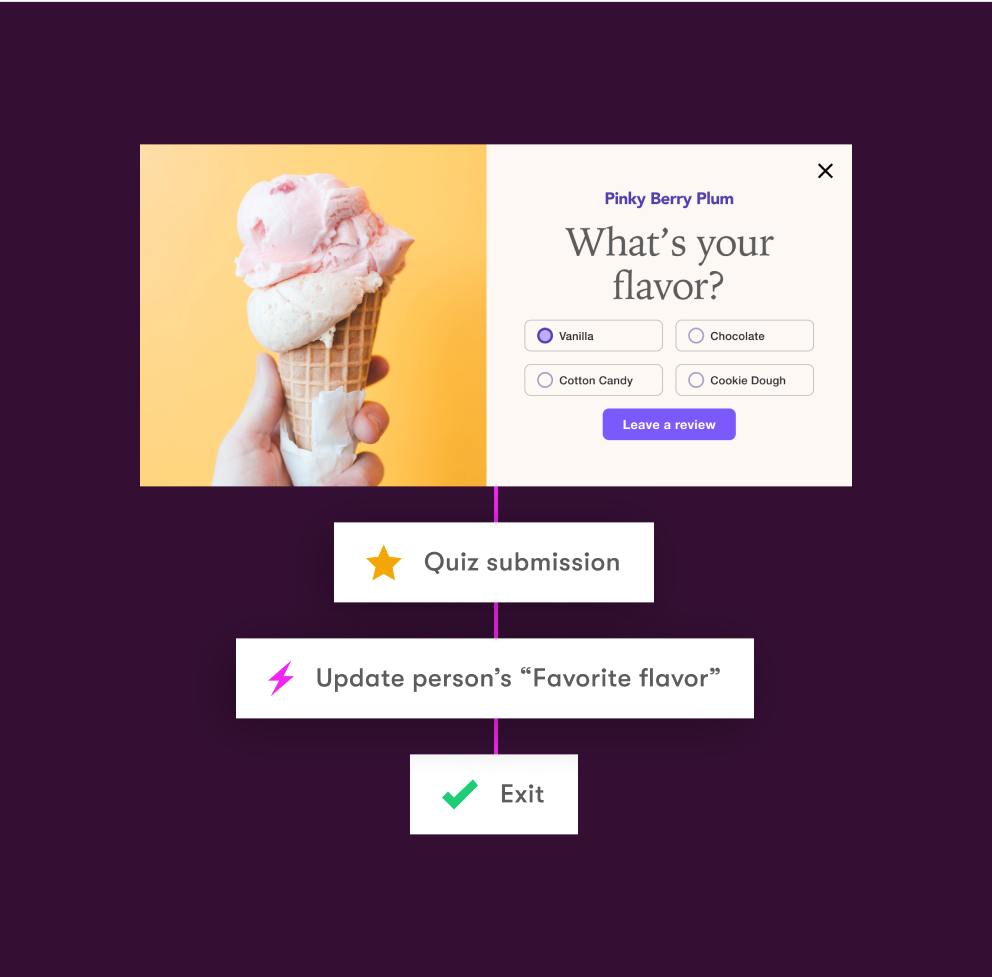
But the real edge is what happens after a visitor fills out a form. Drip's multi-step quizzes don't just collect an email address — they collect intent. A customer who tells you they have two dogs and prefer grain-free food gets that data stored as a Custom Field, segmented on immediately, and fired into a personalized workflow automatically. No export. No manual tagging. Omnisend's multi-step forms can collect additional fields, but there's no equivalent pipeline that routes quiz answers directly into segmentation logic and triggers. That's the difference between a popup tool and a zero-party data engine.

What Go Smile
says about Drip.

We've used many different platforms in the past and Drip by far has been the best email marketing platform we've used. Resources and customer service are always readily available, helping you walk through any tutorial you need help with, whether it's customer segmentation, workflows, or campaigns. On top of that, Drip revenue has attributed 37%-40% of our e-commerce business in the last couple of months. AMAZING results. We have been very happy using Drip. :)

Go Smile, Shopify Review

An illustration of a quotation mark.

7 reasons people choose Drip.

segmentation@2x

Better list management.

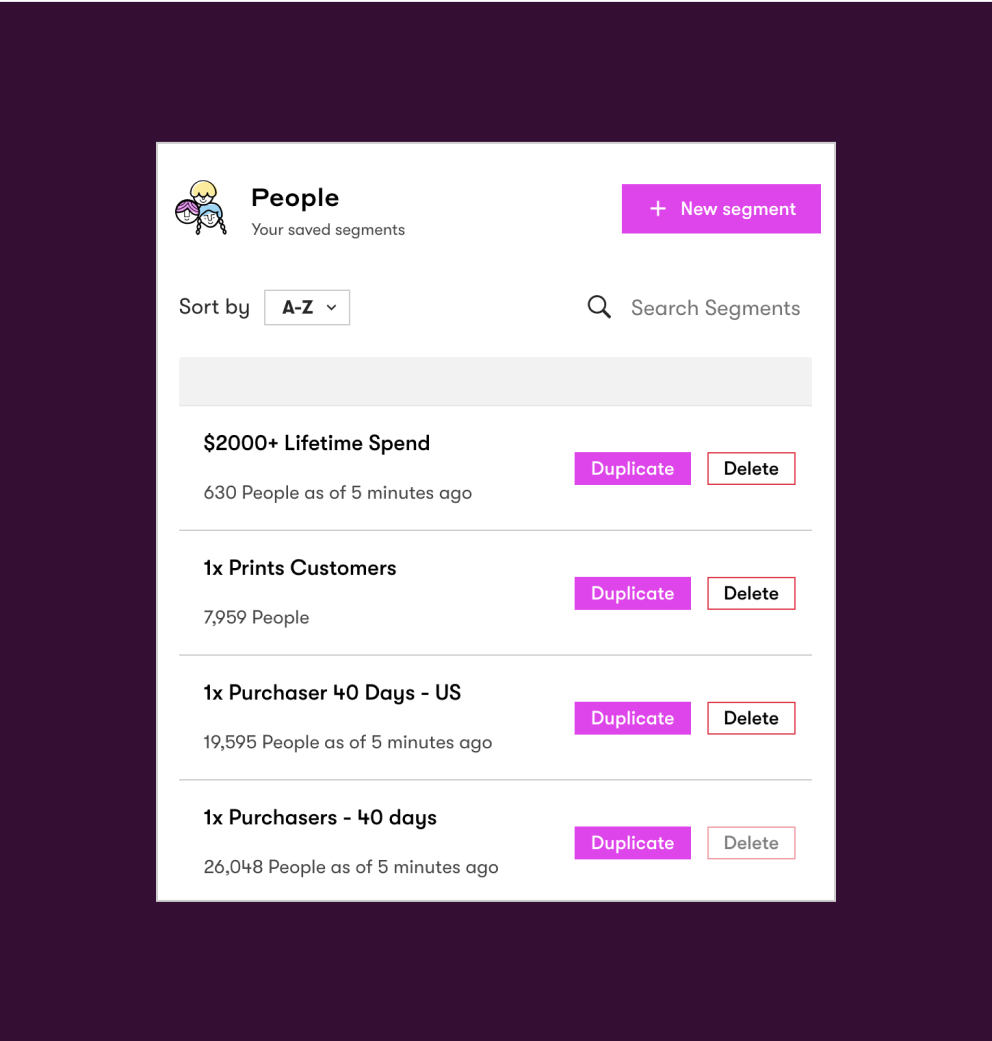
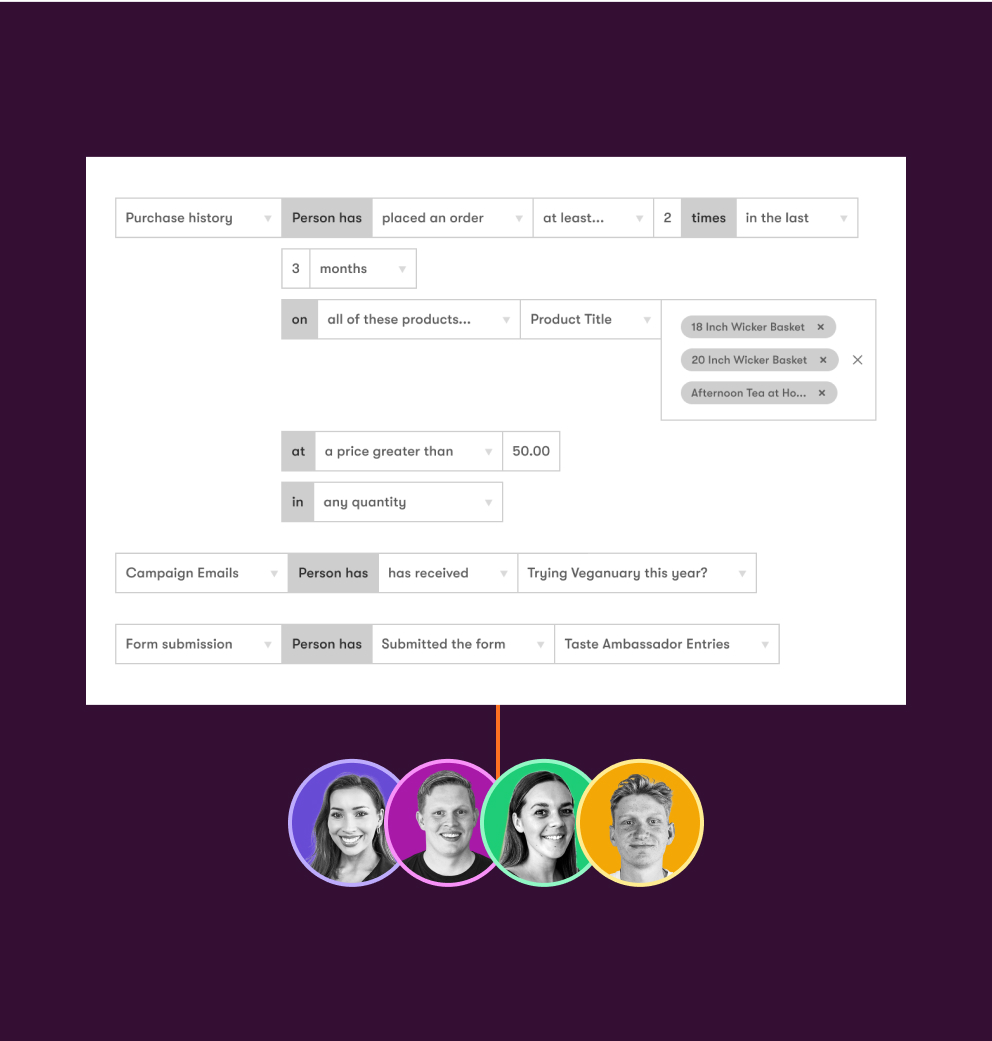
Say goodbye to manually moving people from one list to another. Drip’s segmentation is dynamic, which means Drip updates your people in real time depending on if someone meets the criteria for a specific segment or not.

Multichannel workflows made for ecommerce.

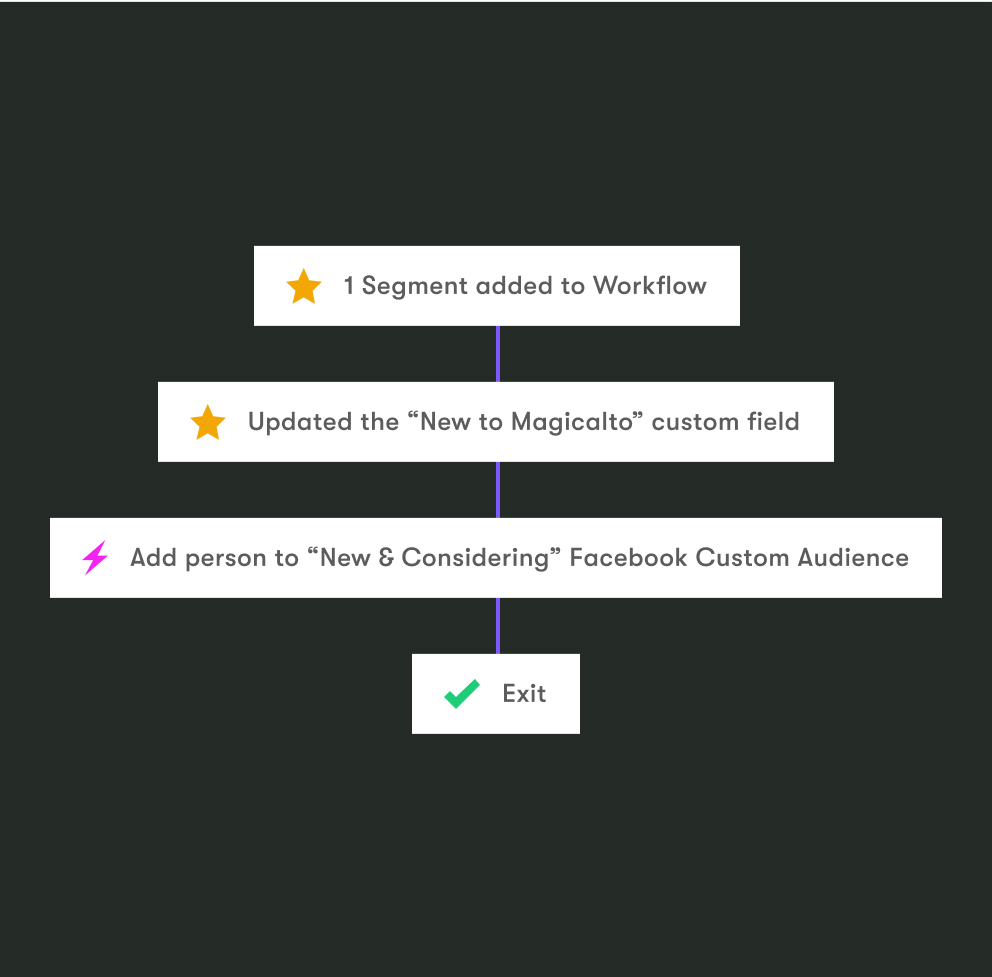
Our workflows go beyond just email. Sync Facebook Custom Audiences with Drip segments and craft powerful marketing campaigns that align across channels. Tap into your People’s behaviors and change up the messaging they see to deliver a consistent customer experience across the board.

workflow@2x
deliverability@2x

Better deliverability.

Our dedicated deliverability team works hard to maintain sky-high deliverability, and is available to answer any questions and help optimize your account so you can have confidence that your emails are always reaching the inbox.
Learn more

Unlimited email sends.

Drip offers unlimited monthly email sends to all its customers, up to 30,000 people. (Yes, really.)

email-sends@2x
onsite@2x

Onsite marketing.

Turn your website into a high-converting marketing channel with Onsite. Design onsite journeys that guide first-time visitors toward becoming potential customers. And then, later, convert them into customers and repeat lifetime buyers for your brand.

fistbump2@2x

Ongoing Support.

Support with Drip means enjoying email, live chat, and live audio screen recording at your finger tips. With Drip's full support, you’ll be able to resolve issues in real time, more efficiently and effectively.
Ecommerce-fueled segments.

Segment the right way, in real time. Infuse email, Onsite, and workflows with segment-driven strategies. Deliver ultra-personalized messaging that keeps people engaged with your brand. Use customer-action-based triggers to transcend basic personalization.

segments@2x

Frequently asked questions.

How does Drip's pricing compare to Omnisend?

Drip starts at $39/month for up to 2,500 Active People—every feature included. Omnisend's Standard plan is roughly $45/month for the same list size, but as of May 2026, new Standard plan accounts don't have access to SMS campaigns or automations. To get native SMS, you're on the Pro plan at approximately $75/month for 2,500 contacts—nearly double Drip's entry price. Beyond the monthly number, the billing model matters. Drip bills on Active People: contacts who can actually receive your marketing. Omnisend bills for both Subscribers (opted-in) and Non-Subscribers—customers who transacted or created an account without explicitly signing up for email marketing. For a store with a large transactional customer base, that difference shows up on your invoice every month. 

What's the difference between Drip's automation and Omnisend's?

Both platforms have visual, multi-step automation available on all plans—and Omnisend's A/B test block inside workflows is a genuine strength. For standard ecommerce flows, either tool handles the basics. The meaningful differences are architectural. Drip's Goals feature stops an active automation the moment a desired outcome fires—someone in your abandoned cart series who places an order exits immediately, automatically, no matter which step they're on. Omnisend requires manually configured exit conditions per workflow. Drip also supports a native "Updated LTV" trigger that fires automations when a customer crosses a lifetime value milestone. Omnisend has no equivalent. And a single Drip Workflow can accept multiple entry triggers simultaneously—in Omnisend, each workflow has one trigger, so multiple entry points mean multiple workflows to manage. 

How does Omnisend's contact billing work, and why does it matter?

Omnisend distinguishes between three contact types: Subscribers (opted-in to marketing), Non-Subscribers (customers who transacted without opting in), and Unsubscribed (opted out). Unsubscribed contacts don't count toward your bill. But Non-Subscribers do—because Omnisend can still send them transactional messages like order confirmations. The practical impact: a brand with 2,000 buyers who never opted into email and 500 actual marketing subscribers would be billed for 2,500 contacts on Omnisend, despite being able to send marketing campaigns to only 500 of them. Drip bills on Active People—contacts who are opted-in and can actually receive your marketing. For stores with high transaction volume and average email capture rates, the gap between what you're billed for and who you can market to can be significant on Omnisend. 

Does Drip include all its ecommerce features on every plan?

Yes—every feature Drip has is available from the $39/month plan. LTV-based segments, behavioral Workflow triggers, browse abandonment, gamified popups, revenue attribution, dynamic product blocks, split-path Workflow testing, multiple triggers per Workflow, Workflow Goals—all of it, from day one. Omnisend's approach differs: while core automation and segmentation are available across plans, unlimited email sends, advanced AI features (including dynamic content and AI-personalized product recommendations), advanced reporting, and SMS access for new accounts are all gated behind the Pro plan. You shouldn't need to check a pricing page to figure out which plan unlocks the trigger you need before you can test whether your automation works. 

How does Drip track revenue compared to Omnisend?

Drip surfaces Revenue Per Recipient (RPR) as the primary metric for every email and every Workflow—the exact dollars generated per send, per sequence, per segment. You can see that your VIP win-back Workflow converted at 6.3% last month with an AOV 40% above site average, and compare that directly against your browse abandonment series. Omnisend reports revenue per message and campaign-level revenue totals—solid data, and both platforms offer configurable attribution windows. Where Omnisend goes further on reporting is product-level data: the Ordered Product Report (launched November 2025) shows exactly which SKUs each campaign and automation sold, which Drip doesn't yet surface in equivalent form. Omnisend also includes click maps on paid plans. Drip's edge is in how consistently RPR is foregrounded as the measure that matters—not opens, not clicks, dollars. 

What does Omnisend offer that Drip doesn't?

Omnisend's genuine advantages are worth knowing. Native SMS in 37+ countries on the Pro plan, compared to Drip's US-only third-party integrations. Web push notifications on all paid plans, which Drip doesn't offer at all. 24/7 live chat support on every plan including free—Drip's chat support starts at $99/month. Native transactional email built into the platform, so order confirmations and shipping updates don't require a separate tool the way they do with Drip. And a free plan that lets very small stores start without spending anything. If omnichannel coverage—email, SMS, and push in one workflow—is your top priority, or if native transactional email and always-available chat support matter most to your team, Omnisend makes a strong case. The trade-off is automation depth, billing transparency, and the ECRM-level data model that Drip is built around. 

How does Drip's Shopify integration compare to Omnisend's?

Both platforms have first-class Shopify integrations that sync customers, orders, product catalog, and behavioral events—and both fire the full event schema you need for abandoned cart, browse abandonment, and post-purchase automations. The depth of what you can trigger on that data is where they diverge. Drip's "Updated LTV" event fires a Workflow the moment a customer crosses a revenue milestone. The "Viewed Product" event powers browse abandonment natively. A single Workflow can have multiple Shopify event triggers simultaneously. Omnisend's Shopify integration is equally deep on the data ingestion side—all key events are available as workflow triggers—but the automation architecture built on top of those events is more limited: one trigger per workflow, no LTV-milestone firing, and exit conditions that require manual configuration rather than a Goals feature. 

How does migrating from Omnisend to Drip work?

If your list is over 17,500 contacts, Drip's team handles the migration at no extra cost—rebuilding your email templates in Drip's visual builder, migrating your contact data and tags, and setting up your core Workflows before you go live. You also get 90 days of personalized onboarding support. Smaller lists can move quickly on their own—connect your store, import your contacts, and activate your first Playbook. The 14-day free trial gives you the full platform before you commit. Omnisend does offer its own "Kickstart" service for brands spending $250+/month on their plan—Omnisend's team recreates three workflows, five segments, and three signup forms, which is a useful starting point. For full-service migration with someone rebuilding your entire program, Drip's 17,500-contact threshold is the lower-friction path for larger stores. 

Drive more sales with Drip today.

Start a 14-day free trial of Drip, no credit card required.